
Subnetting Made Easy (Step-by-Step with Examples – CCNA Day 5)


Introduction
Subnetting is one of the most important and scoring topics in CCNA.
It helps in:
Dividing a network
Efficient IP usage
Better network performance
In this guide, you will learn:
What is subnetting
Why subnetting is used
Subnet mask basics
Step-by-step examples
Easy tricks
What is Subnetting?
Subnetting means dividing one network into smaller networks (subnets).
Simple Example:
👉 Imagine a company with 200 devices
Instead of one big network, we divide into:
HR → 50 devices
IT → 50 devices
Sales → 50 devices
Admin → 50 devices
This is subnetting.
Why Subnetting is Important
Subnetting helps in:
✔ Better network performance
✔ Reduced congestion
✔ Improved security
✔ Efficient IP usage
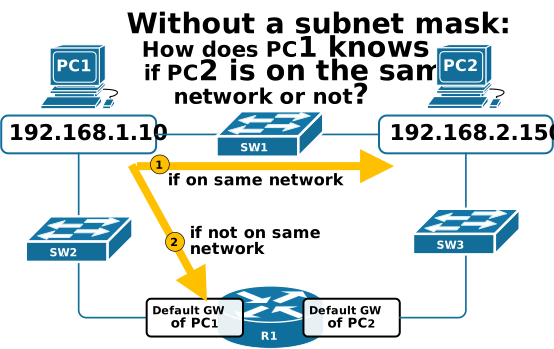
What is Subnet Mask?
Subnet mask defines:
👉 Which part is network
👉 Which part is host
Example:
IP Address → 192.168.1.10
Subnet Mask → 255.255.255.0
👉 Network = 192.168.1.0
👉 Host = .10
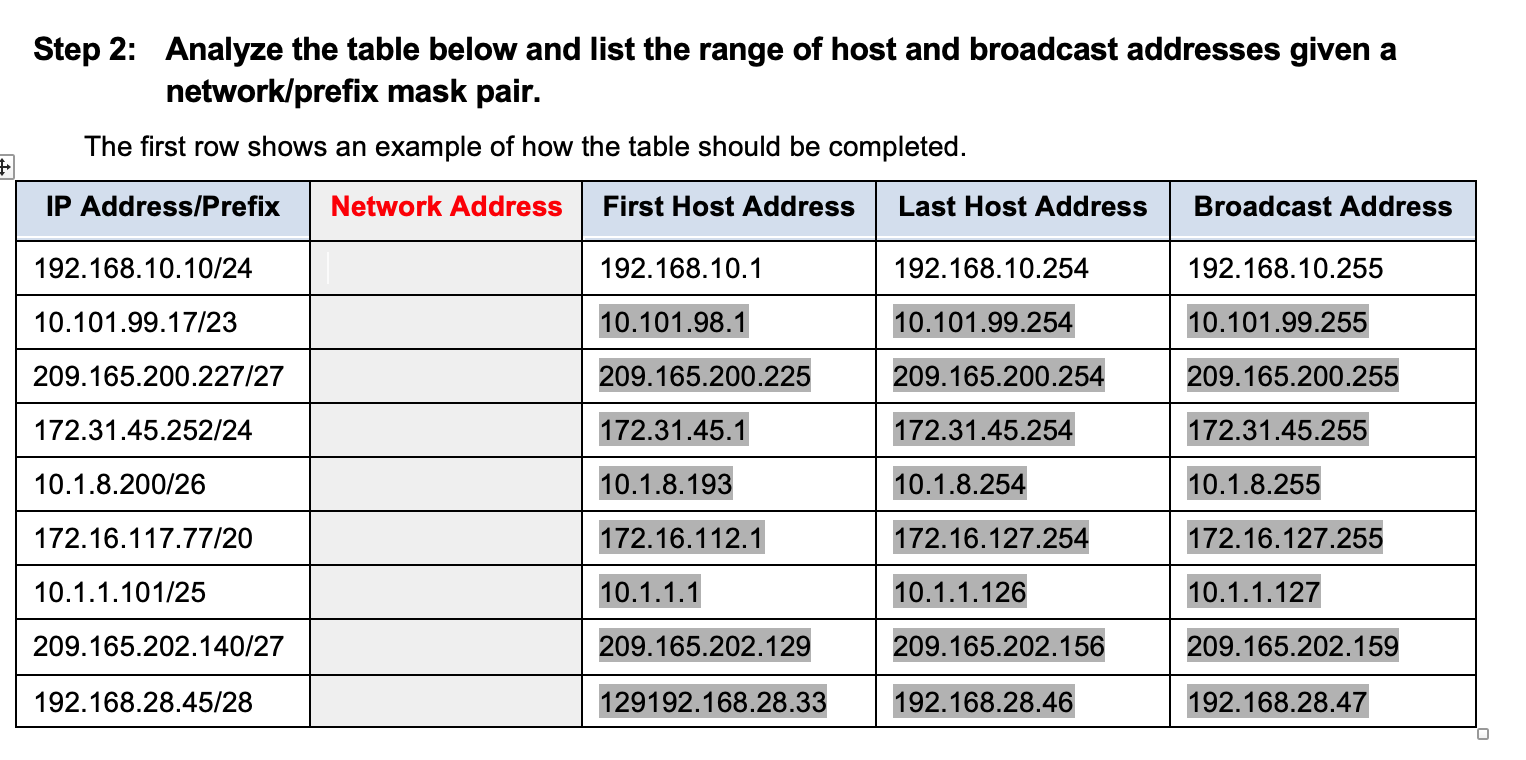
Key Terms (With Example)
1️⃣ Network Address
First IP of subnet
Example:
👉 192.168.1.0
2️⃣ Broadcast Address
Last IP of subnet
Example:
👉 192.168.1.255
3️⃣ Host Range
Usable IPs
Example:
👉 192.168.1.1 to 192.168.1.254
Subnetting Example 1 (Basic)
Given:
IP: 192.168.1.0/24
We want 2 subnets.
Step 1: Borrow 1 bit
/24 → /25
Step 2: New Subnets
1st Subnet:
Network → 192.168.1.0
Range → 192.168.1.1 – 126
Broadcast → 192.168.1.127
2nd Subnet:
Network → 192.168.1.128
Range → 192.168.1.129 – 254
Broadcast → 192.168.1.255
Real-Life Example:
Subnet 1 → Office Floor 1
Subnet 2 → Office Floor 2
Subnetting Example 2 (4 Subnets)
Given:
192.168.1.0/24
Need 4 subnets
Step 1: Borrow 2 bits
/24 → /26
Subnets:
1️⃣ 192.168.1.0 – 63
2️⃣ 192.168.1.64 – 127
3️⃣ 192.168.1.128 – 191
4️⃣ 192.168.1.192 – 255
Example Use:
HR → Subnet 1
IT → Subnet 2
Sales → Subnet 3
Admin → Subnet 4
Easy Shortcut Trick
👉 Subnet Jump Method
Formula:
256 – Subnet Mask Value
Example:
Mask → 255.255.255.192
👉 256 - 192 = 64
So subnets will be:
0
64
128
192
Common Subnet Masks
| CIDR | Subnet Mask | Hosts |
|---|---|---|
| /24 | 255.255.255.0 | 254 |
| /25 | 255.255.255.128 | 126 |
| /26 | 255.255.255.192 | 62 |
| /27 | 255.255.255.224 | 30 |
Real-Life Example (FTTH Network)
In FTTH:
Area 1 → 192.168.1.0/26
Area 2 → 192.168.1.64/26
Area 3 → 192.168.1.128/26
👉 Each area gets separate subnet
Common Mistakes
❌ Using wrong subnet mask
❌ Confusing network & broadcast
❌ Not calculating host range properly
Why Subnetting is Important in Career
Subnetting is used in:
Network design
ISP planning
IP allocation
Troubleshooting
Conclusion
Subnetting is a powerful networking concept that helps divide networks efficiently.
By practicing examples, you can easily master:
✔ Network calculation
✔ IP allocation
✔ Troubleshooting
👉 Practice daily — it becomes very easy!
SEO Keywords
subnetting explained
subnetting examples step by step
how to subnet IP address
CCNA subnetting tricks
subnet mask calculation
network subnetting basics
Suggested Blogger Tags
CCNA
Subnetting
IP Addressing
Networking Basics
Cisco
Network Engineer

0 Response to "Subnetting Made Easy (Step-by-Step with Examples – CCNA Day 5)"
Post a Comment