
IP Addressing Basics Explained (IPv4, Types & Examples – CCNA Day 4)
Introduction
Every device connected to a network needs an identity. This identity is called an IP Address.
Without IP addressing, devices cannot communicate on a network or the internet.
In this guide, you will learn:
What is IP Address
Types of IP Address
IPv4 basics
Public vs Private IP
Real-life examples
What is an IP Address?
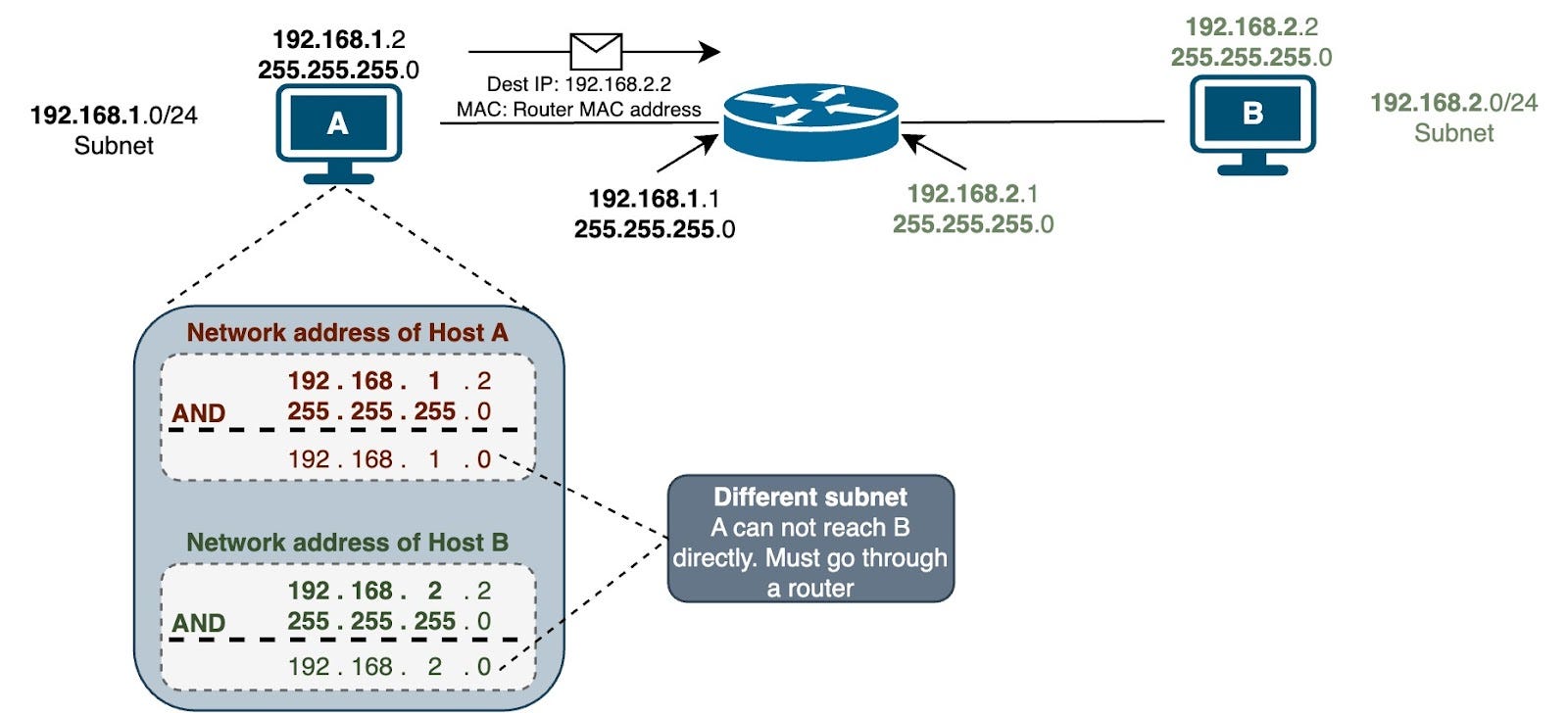
An IP Address is a unique number assigned to each device in a network.
It works like a home address for devices.
Example:
👉 Your home address helps people find your house
👉 IP address helps data find your device
Example IP:
👉 192.168.1.1
What is IPv4?
IPv4 is the most commonly used IP version.
It is written in this format:
👉 192.168.1.1
It has:
4 parts (octets)
Each part ranges from 0 to 255
Example of IPv4
192.168.1.1 → Router
192.168.1.10 → Mobile
192.168.1.20 → Laptop
👉 All devices in same network have similar IP range
Types of IP Address
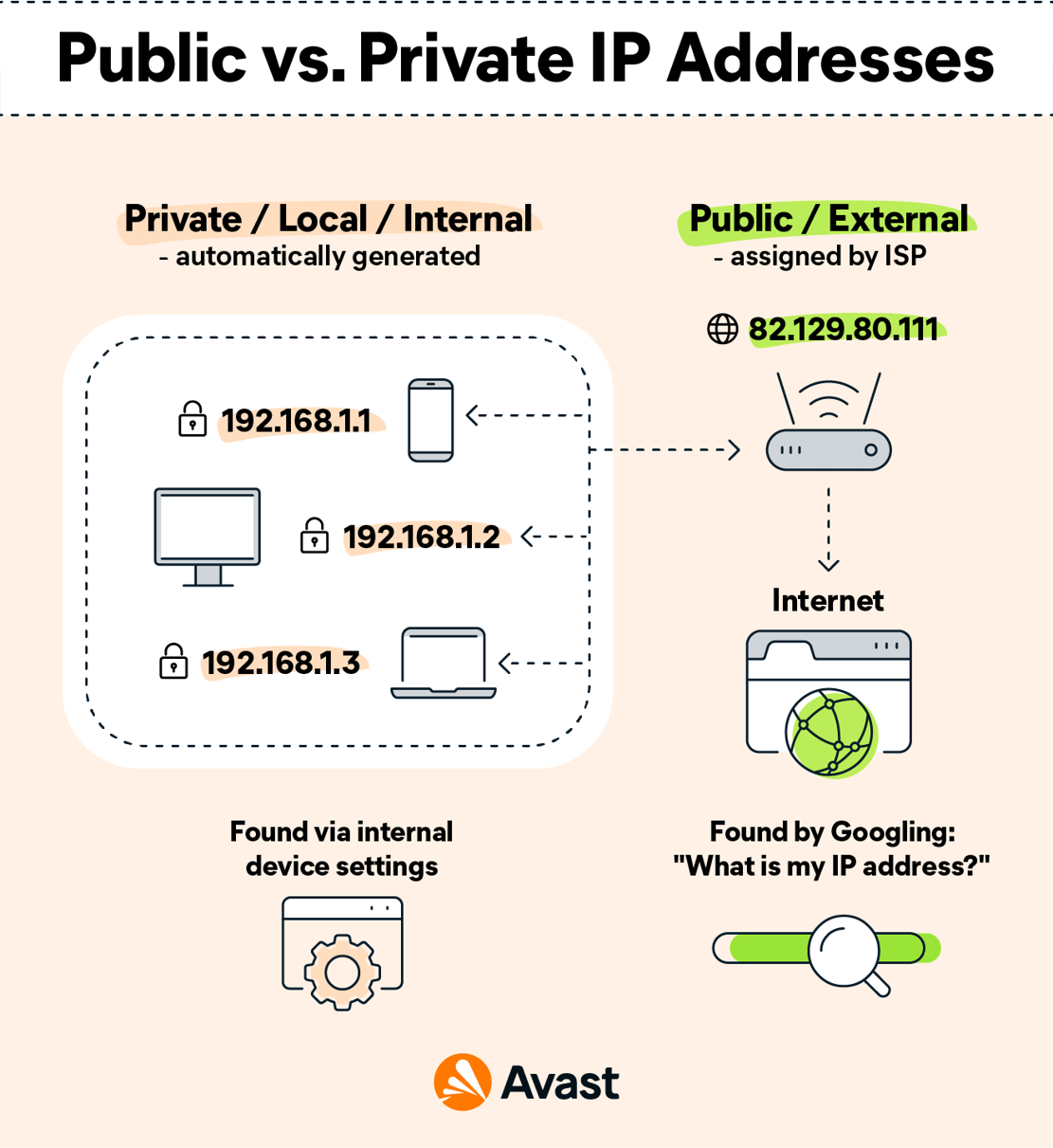
1️⃣ Public IP Address
Assigned by ISP.
Used to access the internet.
Example:
👉 49.205.10.25 (given by ISP)
👉 When you browse Google, this IP is visible on internet.
2️⃣ Private IP Address
Used inside local network (home/office).
Example:
👉 192.168.1.2 (your mobile)
👉 192.168.1.3 (your laptop)
👉 These IPs are not visible on internet.
Public vs Private IP (Example)
| Type | Example | Usage |
|---|---|---|
| Public IP | 49.205.10.25 | Internet |
| Private IP | 192.168.1.2 | Local Network |
Real-Life Example:
Your router gets Public IP from ISP
Your mobile gets Private IP from router
IP Address Classes (Simplified)
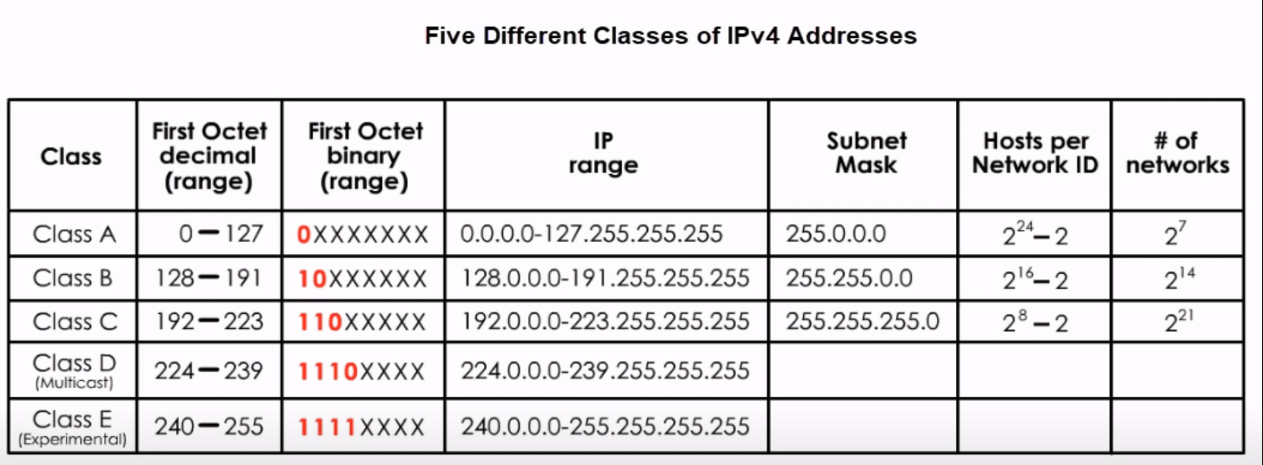
Class A
Range:
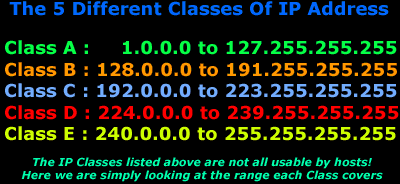
1.0.0.0 – 126.0.0.0
👉 Used for large networks
Example:
👉 10.0.0.1
Class B
Range:
128.0.0.0 – 191.255.0.0
👉 Medium networks
Example:
👉 172.16.0.1
Class C (Most Common)
Range:
192.0.0.0 – 223.255.255.0
👉 Small networks (home use)
Example:
👉 192.168.1.1
Special IP Addresses
1️⃣ Loopback Address
👉 127.0.0.1
Used to test your own system.
Example:
Ping 127.0.0.1 → checks PC network working or not
2️⃣ Broadcast Address
Used to send data to all devices in network.
Example:
👉 192.168.1.255
Sends message to all devices.
Real-Life Example (Home Network)
In your home:
Router IP → 192.168.1.1
Mobile → 192.168.1.2
Laptop → 192.168.1.3
All devices connect and communicate using IP addresses.
How IP Works in FTTH
In FTTH:
ONT gets IP from ISP
Router distributes IP to devices
Data travels using IP addressing
Why IP Addressing is Important
It helps in:
✔ Device identification
✔ Data communication
✔ Internet access
✔ Network management
Common Beginner Mistakes
❌ Same IP given to two devices
❌ Wrong IP configuration
❌ Confusing public and private IP
Conclusion
IP Addressing is the foundation of networking.
By understanding:
IPv4 format
Public vs Private IP
Address classes
you can easily understand how devices communicate in a network.
This is one of the most important topics in CCNA.
SEO Keywords
IP addressing basics
IPv4 explained with examples
public vs private IP address
what is IP address CCNA
IP address classes A B C
network IP basics
Suggested Blogger Tags
CCNA
IP Addressing
IPv4
Networking Basics
Public IP
Private IP
Cisco

0 Response to "IP Addressing Basics Explained (IPv4, Types & Examples – CCNA Day 4)"
Post a Comment