
Broadband Not Working? Step-by-Step FTTH Troubleshooting Guide (2026)



Introduction
One of the most common customer complaints in FTTH networks is:
“Broadband not working.”
As a field engineer or ISP technician, you must diagnose the issue quickly and correctly. Many problems are simple and can be resolved within minutes if you follow a proper troubleshooting process.
In this guide, you will learn:
How to identify the root cause
Step-by-step fault isolation
Fiber-related issues
Configuration-related issues
When to escalate to O&M
Let’s begin.
Step 1: Check Power Supply
Before checking fiber or configuration, always verify:
ONT power adapter is working
Router power is ON
No loose plug
No power fluctuation
Sometimes the issue is just a faulty adapter.
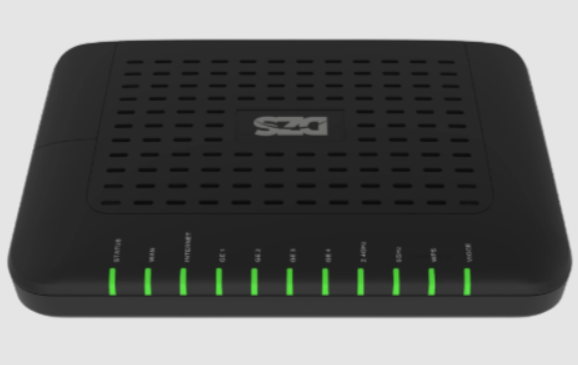
Step 2: Check ONT Indicator Lights
Observe the ONT LEDs carefully.
Normal Condition:
Power: Green
PON: Stable Green
LOS: Off
Abnormal Condition:
LOS: Blinking Red
PON: Off
If LOS is red → it is a fiber signal problem.
Step 3: If LOS is Red (Fiber Issue)
Possible reasons:
Patch cord disconnected
Fiber break
Splitter port issue
Low optical power
Action Plan:
Reinsert patch cord properly
Clean connector with fiber cleaning tool
Check bending of cable
Measure power using optical power meter
Normal receiving power range:
-8 dBm to -27 dBm
If below -28 dBm → unstable connection.
Step 4: If PON is Stable but Internet Not Working
This means fiber is OK. Now check configuration.
Check:
PPPoE username/password
WAN settings
VLAN configuration
IP conflict
DNS problem
Also verify backend authentication from OLT.
Most FTTH networks use Gigabit Passive Optical Network (GPON) technology where ONT must be properly registered in OLT.
If serial number mismatch → internet will not work.
Step 5: Check Router & WiFi Issue
Sometimes internet is working but WiFi is slow or not connecting.
Check:
Router restart
Reset router (if needed)
Change WiFi channel
Keep router in open space
Avoid interference
If LAN works but WiFi not working → router issue.
Step 6: Check for Area Outage
If multiple customers are down:
Check PON port status
Check splitter location
Confirm feeder fiber condition
Contact O&M team
This usually happens due to:
Fiber cut
Power failure at OLT
Feeder damage
Step 7: Escalation Process
If issue not resolved:
Capture ONT power reading
Take screenshot of OLT status
Mention PON number
Inform technical team
Always provide proper details for faster resolution.
Quick Troubleshooting Flow Chart
1️⃣ Power Check
2️⃣ LED Status Check
3️⃣ Optical Power Test
4️⃣ Configuration Verification
5️⃣ Router Test
6️⃣ Escalate if Required
Following this order reduces repeat visits and improves customer satisfaction.
Common Mistakes Engineers Should Avoid
❌ Directly replacing ONT without checking power
❌ Ignoring optical power reading
❌ Not cleaning connectors
❌ Not checking backend authentication
❌ Poor documentation
Professional troubleshooting saves time and cost.
Conclusion
When broadband is not working, the issue can be either:
Fiber related
Configuration related
Router related
Backend related
A systematic approach helps you identify the root cause quickly.
As an FTTH field engineer, your troubleshooting skill defines your professionalism. With proper method and knowledge, you can solve most broadband issues within minute
s.SEO Keywords
Broadband not working solution
FTTH troubleshooting steps
LOS red light problem
ONT internet not working
GPON fault finding guide
Fiber internet repair process

0 Response to "Broadband Not Working? Step-by-Step FTTH Troubleshooting Guide (2026)"
Post a Comment