
Difference Between Router and ONT in FTTH Network (Complete Guide 2026)

Introduction
Many broadband users get confused between ONT and Router.
Customers often say:
“Router problem” — but actually the issue is in ONT.
Understanding the difference between Router and ONT is very important for FTTH engineers and broadband users.
In this guide, we will explain:
What is ONT?
What is Router?
Key differences
When both are combined in one device
Troubleshooting comparison
Let’s understand clearly.
What is ONT?
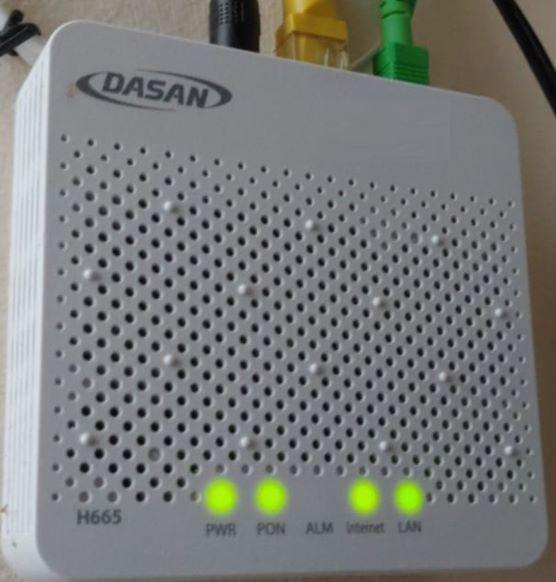
ONT stands for Optical Network Terminal.
It is a device installed at the customer’s home in FTTH connections.
Its main function is:
👉 Convert optical (light) signal into electrical signal.
ONT connects directly to fiber cable coming from ISP.
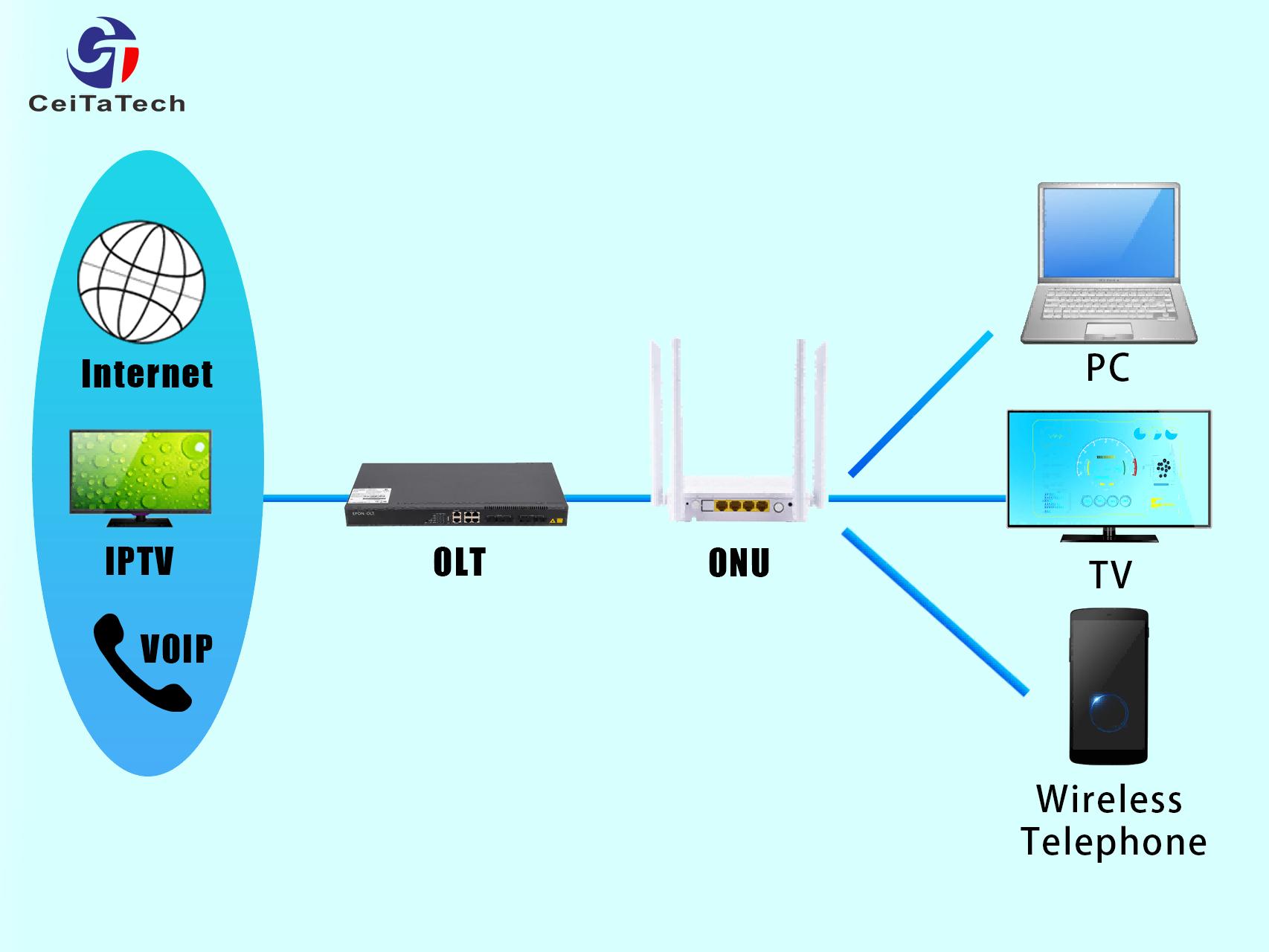
Most FTTH networks operate on Gigabit Passive Optical Network (GPON) technology, and ONT communicates with OLT through PON.
ONT Main Functions
Receives fiber signal
Converts light to data
Authenticates with OLT
Shows PON / LOS status
Provides LAN output
If ONT loses signal → LOS light becomes red.
What is a Router?
A Router distributes internet to multiple devices.
It does not convert fiber signal.
It works after ONT provides internet.
Router functions:
Creates WiFi network
Assigns IP address
Manages connected devices
Handles firewall & security
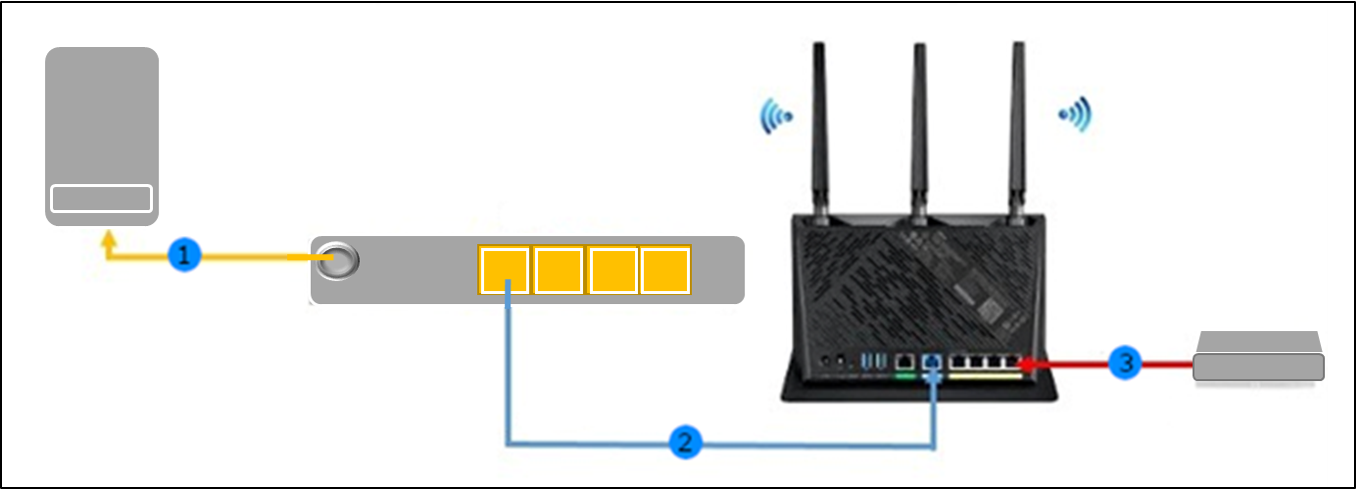
Router connects to ONT via LAN cable.
ONT vs Router – Technical Comparison
| Feature | ONT | Router |
|---|---|---|
| Signal Type | Optical to Electrical | Electrical to Wireless |
| Connected To | Fiber cable | ONT LAN port |
| Shows LOS Light | Yes | No |
| Handles WiFi | Sometimes | Yes |
| Required in FTTH | Mandatory | Required for WiFi |
When ONT and Router Are Combined
Many ISPs now provide ONT + Router combo device.
This device:
Converts fiber signal
Provides WiFi
Works as router
This is common in home FTTH installations.
If WiFi stops but PON is stable → router section problem.
If LOS red → fiber problem.
Troubleshooting Difference
Case 1: LOS Red
Problem → Fiber issue
Device responsible → ONT
Check:
Patch cord
Optical power
Splitter
Case 2: PON Green but No WiFi
Problem → Router issue
Check:
WiFi settings
Reboot router
Factory reset
Case 3: LAN Working but WiFi Slow
Problem → Router configuration
Not fiber issue.
Why Customers Get Confused?
Because both devices look similar.
Also many homes use single combo device, so users call everything “Router”.
As an FTTH engineer, you must:
Identify LED status
Isolate fiber from WiFi issue
Educate customer properly
Simple Explanation for Customers
You can explain like this:
ONT is like electricity meter.
Router is like extension board.
Without ONT → No internet signal.
Without Router → No WiFi distribution.
Future of ONT & Router Technology
New generation devices include:
WiFi 6
Dual band
Mesh capability
Better firewall
As fiber speed increases, router quality becomes more important.
Conclusion
ONT and Router are two different devices with different functions.
ONT handles fiber signal.
Router distributes internet to devices.
Understanding this difference helps in:
Faster troubleshooting
Better customer support
Reduced unnecessary device replacement
As a broadband blogger and FTTH engineer, explaining these basics clearly builds authority and trust.
SEO Keywords
Difference between ONT and Router
ONT full form
Router vs ONT explained
FTTH device difference
GPON ONT working
Broadband troubleshooting guide

0 Response to " Difference Between Router and ONT in FTTH Network (Complete Guide 2026)"
Post a Comment