
How to Measure Optical Power in FTTH Using a Power Meter (Step-by-Step Guide 2026)


Introduction
In FTTH networks, one of the most important troubleshooting steps is checking optical power levels. If the signal power is too low, customers may face problems like:
Frequent disconnections
Slow internet speed
LOS (Loss of Signal) alarm
Unstable connection
To diagnose these issues, engineers use an Optical Power Meter.
This guide explains how to measure optical power in FTTH networks step by step.
What is an Optical Power Meter?
An Optical Power Meter (OPM) is a device used to measure the strength of optical signals in fiber optic cables.
It shows the signal level in dBm (decibel-milliwatts).
FTTH engineers use it to:
Check fiber signal strength
Detect high signal loss
Verify installation quality
Troubleshoot connectivity issues
Most FTTH networks operate using Gigabit Passive Optical Network (GPON) technology, where optical power levels must remain within a specific range.
Normal Optical Power Range in FTTH
Typical GPON power levels are:
| Power Level | Network Condition |
|---|---|
| -8 dBm to -15 dBm | Excellent |
| -15 dBm to -25 dBm | Good |
| -25 dBm to -27 dBm | Acceptable |
| Below -28 dBm | Weak / unstable |
If power drops below -28 dBm, customers may experience frequent internet problems.
Tools Required for Optical Power Testing
To measure optical power, engineers use:
Optical Power Meter
Fiber patch cord
Cleaning tool or fiber cleaner
Sometimes a light source is also used for testing fiber continuity.
Step-by-Step Process to Measure Optical Power
Step 1: Clean the Fiber Connector
Before connecting fiber to the power meter:
Clean connector using fiber cleaning pen
Remove dust or dirt
Dirty connectors can cause incorrect readings.
Step 2: Turn On the Power Meter
Switch on the device and select the correct wavelength.
Common GPON wavelengths:
1310 nm (Upstream)
1490 nm (Downstream)
Most FTTH testing is done using 1490 nm.
Step 3: Connect Fiber to Power Meter
Disconnect the patch cord from the ONT and connect it to the power meter.
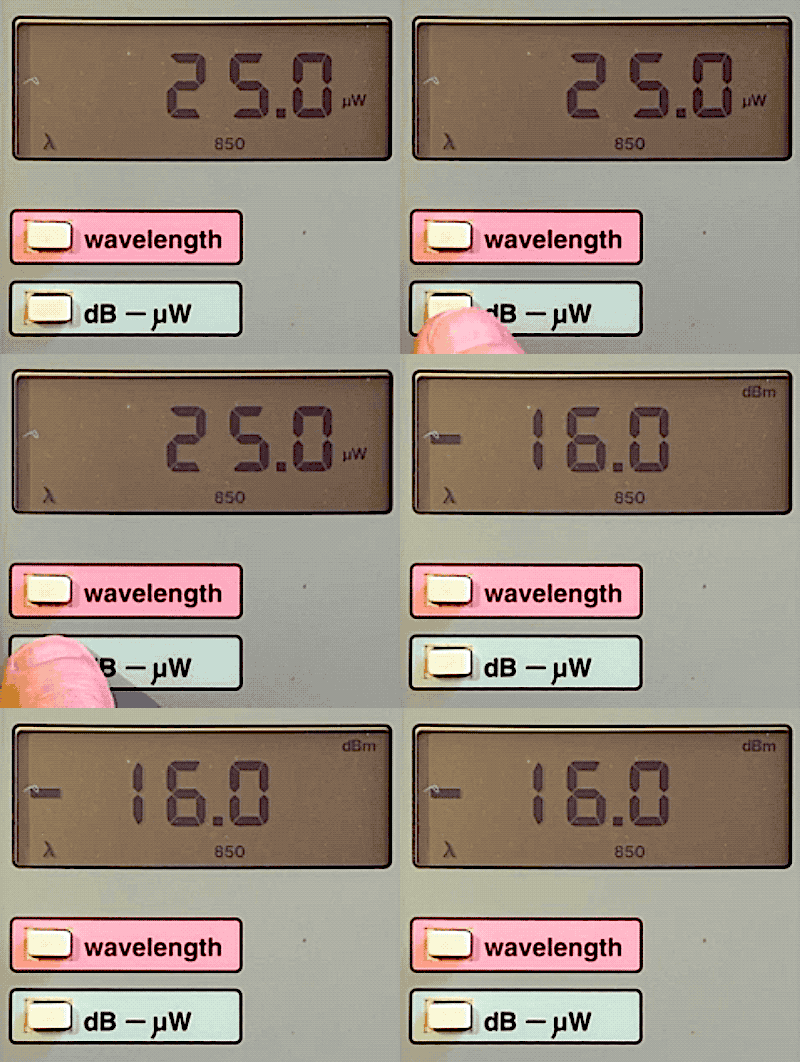
The device will display the signal strength.
Example reading:
-21.3 dBm
This indicates good signal quality.
Step 4: Analyze the Reading
Compare the value with normal GPON ranges.
Example:
-12 dBm → Very strong signal
-20 dBm → Normal working signal
-27 dBm → Weak signal
-30 dBm → Fault condition
Common Causes of Low Optical Power
Low optical power may occur due to:
Fiber bending
Poor fusion splicing
Dirty connectors
Splitter loss
Long fiber distance
Fiber cable damage
Engineers must inspect the fiber route to identify the issue.
Field Troubleshooting Example
Customer complaint: Internet disconnecting frequently.
Power meter reading:
-29 dBm
Diagnosis:
Weak optical signal due to damaged patch cord.
Solution:
Replace patch cord → new reading:
-20 dBm
Connection restored successfully.
Optical Power Meter vs OTDR
| Tool | Purpose |
|---|---|
| Optical Power Meter | Measures signal strength |
| OTDR | Detects fiber faults and distance |
Both tools are essential for FTTH engineers.
Best Practices for Accurate Measurement
✔ Always clean fiber connectors
✔ Use correct wavelength setting
✔ Avoid bending fiber during testing
✔ Record readings for documentation
Following these practices ensures reliable results.
Conclusion
Measuring optical power is one of the most important tasks in FTTH network maintenance.
Using an optical power meter, engineers can quickly identify signal problems and ensure stable broadband connections.
Proper optical power levels guarantee better network performance and fewer customer complaints.
For any FTTH engineer, mastering optical power testing is an essential skill.
SEO Keywords
optical power meter FTTH
how to measure fiber signal strength
FTTH optical power test
dBm power level GPON
fiber optic power meter guide
GPON signal troubleshooting
Suggested Blogger Tags
FTTH
Fiber Testing
Optical Power Meter
GPON
Fiber Troubleshooting
Telecom Engineering
Broadband Network
💪

0 Response to "How to Measure Optical Power in FTTH Using a Power Meter (Step-by-Step Guide 2026)"
Post a Comment