
PON Port Congestion Explained (Complete FTTH Engineer Guide 2026)

Introduction
In FTTH networks, one of the hidden but serious performance issues is PON Port Congestion.
Customers may complain:
Slow speed during evening
Buffering in OTT
High ping in gaming
Speed test showing low bandwidth
But optical power is normal.
In many cases, the real reason is PON port overload.
In this guide, you will learn:
What is PON port?
What is congestion?
How bandwidth is shared
Symptoms of congestion
How to solve it
Prevention strategies
What is a PON Port?
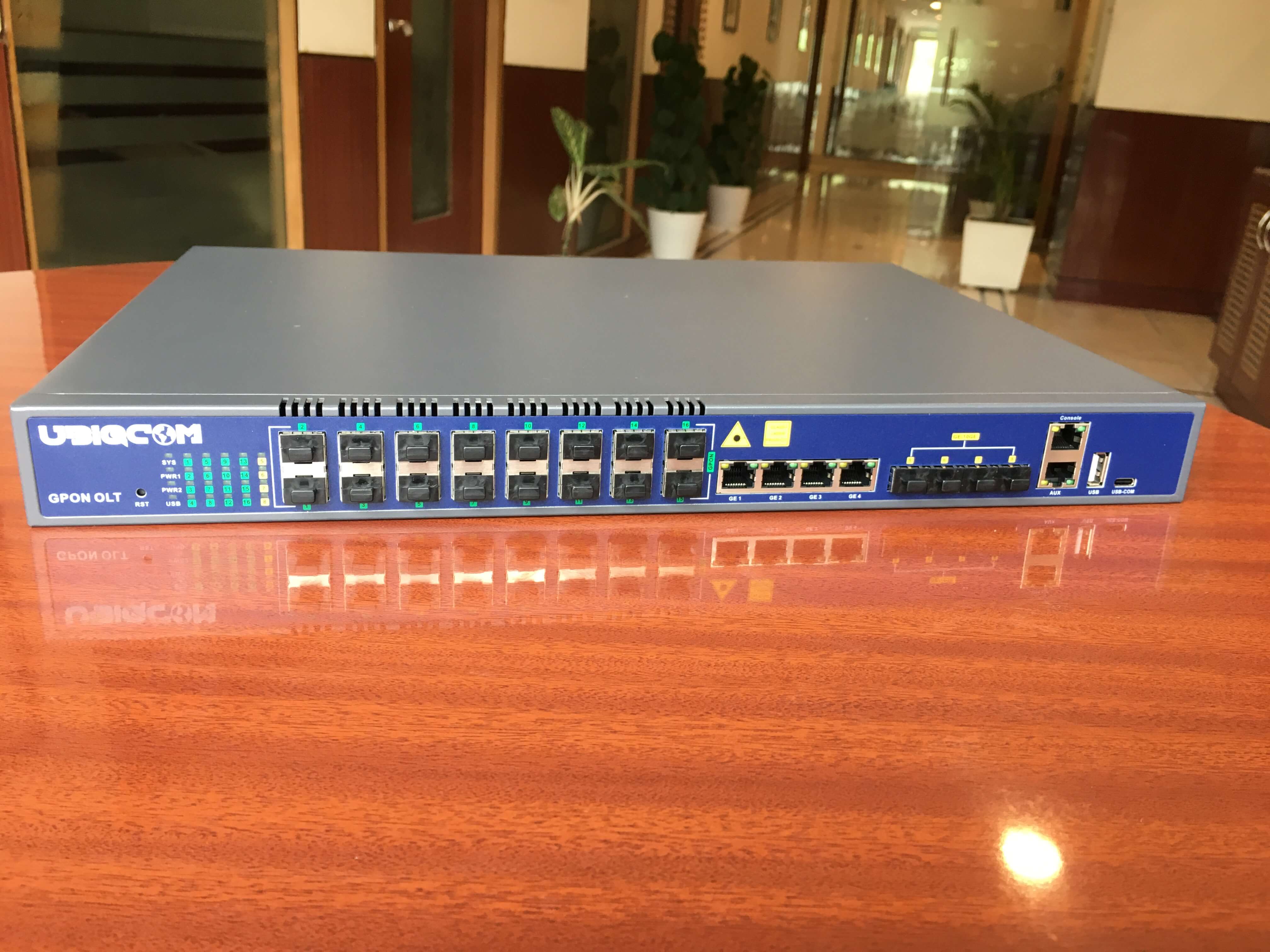
In Gigabit Passive Optical Network (GPON) technology, a PON port is located inside OLT.
One PON port typically provides:
2.5 Gbps Downstream
1.25 Gbps Upstream
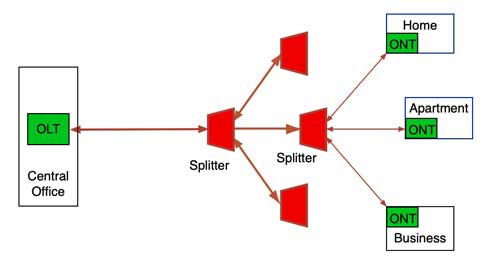
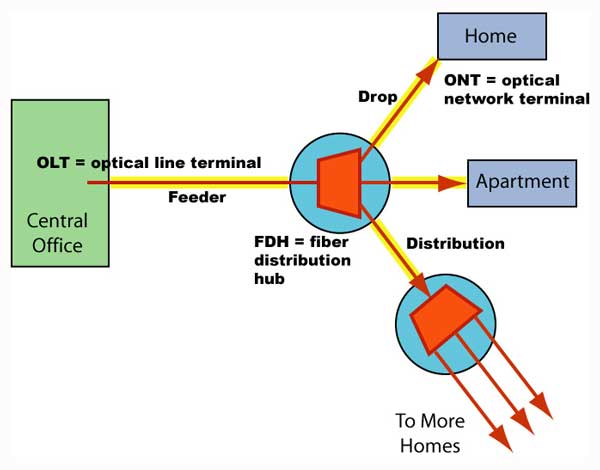
This bandwidth is shared among multiple users.
Example:
If 32 customers are connected to one PON port, all of them share the total 2.5 Gbps bandwidth.
What is PON Port Congestion?
PON congestion happens when:
👉 Total user demand exceeds available bandwidth.
Especially during peak hours (7 PM – 11 PM), heavy streaming and gaming increase traffic load.
If too many high-speed plans are connected to one PON port, congestion occurs.
How Bandwidth Sharing Works
GPON uses:
TDMA (Time Division Multiple Access)
DBA (Dynamic Bandwidth Allocation)
OLT dynamically distributes bandwidth.
But if usage crosses limit → speed drops for everyone.
Example Scenario
PON Capacity = 2.5 Gbps
Users connected = 40
Each user plan = 200 Mbps
If all users start streaming at same time:
Total demand = 8000 Mbps (8 Gbps)
Available = 2500 Mbps
Result → Congestion.
Symptoms of PON Congestion
✔ Speed good in morning
✔ Slow during evening
✔ Optical power normal
✔ No LOS
✔ High latency
Many engineers mistakenly blame fiber or router.
But real issue is backend bandwidth load.
How to Check PON Utilization
Check in OLT management panel:
PON traffic graph
Utilization percentage
Active users
Peak hour usage
If utilization crosses 70–80% regularly → risk of congestion.
Solutions for PON Congestion
1️⃣ Split the Load
Move some users to another PON port.
Example:
PON 1 → 40 users
PON 2 → 15 users
Redistribute connections.
2️⃣ Reduce Split Ratio
Change from:
1:64 → 1:32
1:32 → 1:16
Lower split = better performance.
3️⃣ Upgrade Uplink Capacity
Increase OLT uplink bandwidth to core network.
4️⃣ Plan Proper Network Design
Avoid connecting too many high-speed plans to same PON.
Preventive Planning Strategy
Professional ISPs follow:
Maximum 70% utilization rule
Proper bandwidth forecasting
Regular traffic monitoring
Load balancing
Good planning prevents customer complaints.
Why This Topic Is Important for Engineers
Many complaints like:
“Speed slow only at night”
“Buffering problem daily evening”
are not fiber faults.
Understanding congestion helps in:
Faster diagnosis
Reduced unnecessary field visits
Better ISP network planning
Conclusion
PON port congestion is a backend bandwidth issue, not a fiber signal issue.
Even with perfect optical power, users can experience slow speed due to overload.
Proper monitoring, load balancing, and smart network planning are essential to maintain FTTH performance.
If you want to grow as a senior FTTH engineer or network planner, understanding PON congestion is very important.
SEO Keywords
PON port congestion
GPON bandwidth sharing
FTTH speed slow evening
OLT utilization problem
GPON congestion solution
Fiber network bandwidth issue
Suggested Blog Tags (For Blogger)
FTTH
GPON
PON Port
OLT
Fiber Network
Broadband Troubleshooting
ISP Engineering
Network Congestion
Fiber Internet
Telecom Technology

0 Response to "PON Port Congestion Explained (Complete FTTH Engineer Guide 2026)"
Post a Comment